Getting started
Sign in, pick the project, open Today, and learn what each menu holds.
On this page
Where this comes from
This guide is distilled from docs/GROWTH-KIT.md and src/features/growth-kit/help/content/today.ts. When the guide and Growth-OS disagree, that document is the one to trust, and the difference is worth reporting.
Your first ten minutes
Sign in with your WISEPIM account, pick the project you work in, and open Today. Growth-OS is scoped to one project: every record you read, write or count belongs to the project named in the header, and switching projects switches the whole workspace.
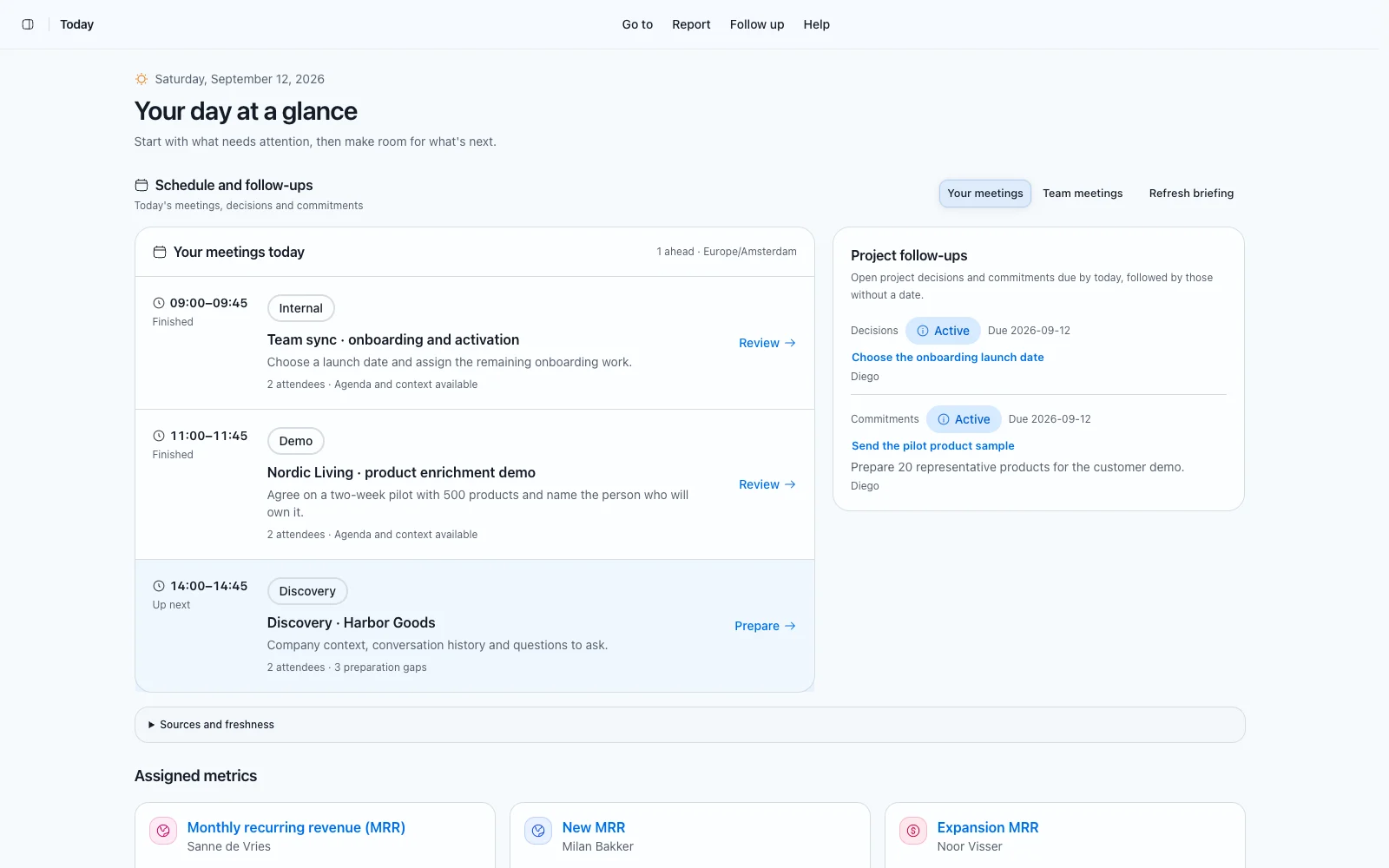
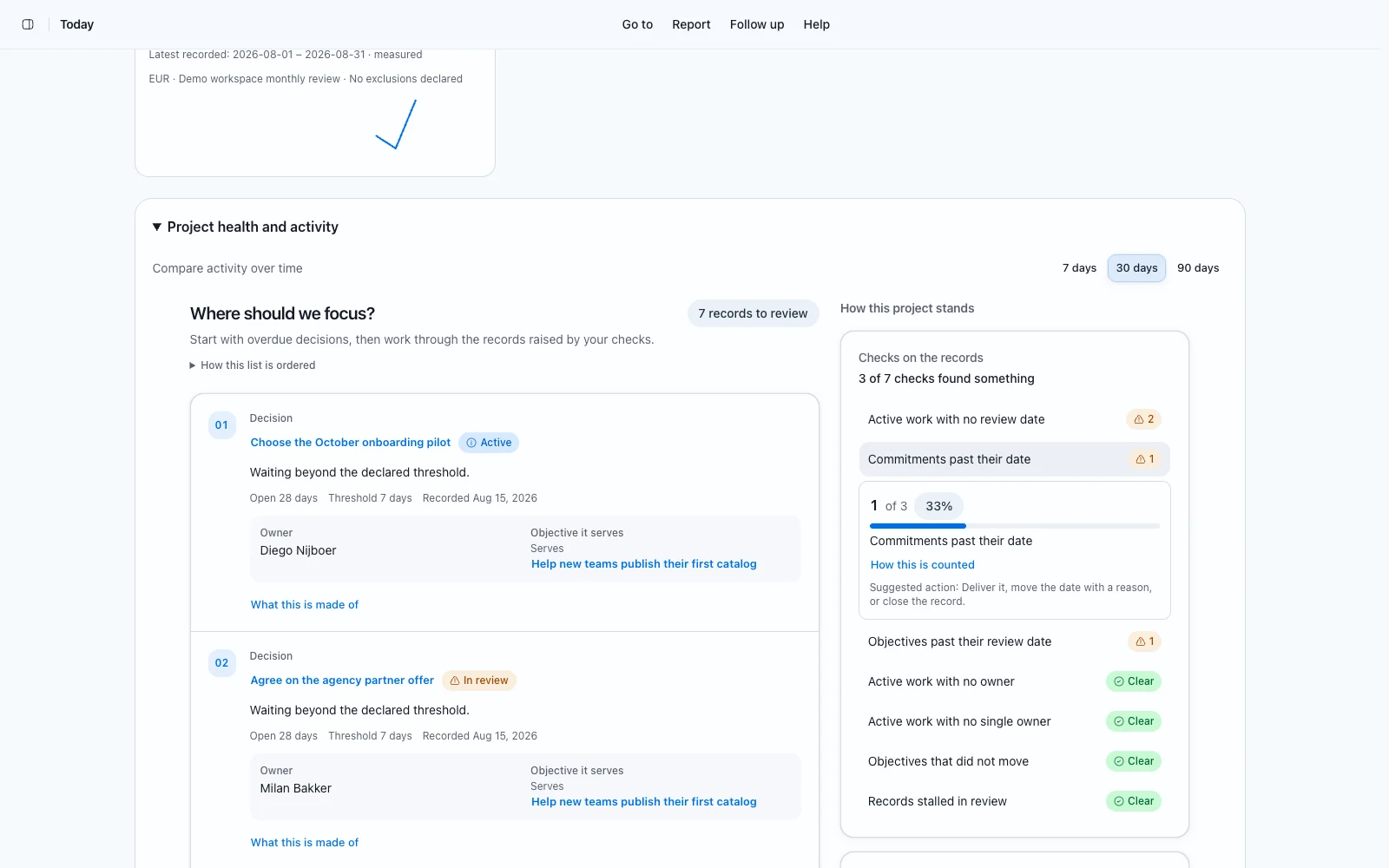
Today is the page to start the day on. It brings your meetings, your task deadlines and the project follow-ups together, and the report underneath compares the last 7, 30 or 90 days with the same number of days before that.
- Read what is happening, then what needs our attention. The second list is the one that costs us something when it is skipped.
- Open one item from what needs a decision and supply the piece the row names.
- Write down what you learned before you close the page. A theme that moved with no record saying why is the note to write.
- Use the header menu to copy a link to the view you are reading. Access decides what the other person sees; a link grants nothing.
Today, and the six menus beside it
The header carries one direct control for Today and six menus, each answering a different question about how we grow. Every page behind them opens at its own address, so a link you send reopens exactly what you were reading.
- Today: what changed, what is stuck, what is waiting on a decision, what we are learning.
- Market: companies, people, the CRM, ICP & qualification, segments, leads, competitor intelligence, battlecards, events and sources.
- Conversations: meetings, evidence and Ask Growth Kit.
- Strategy: objectives, metrics, strategic bets, open questions, experiments, bets and experiments, decisions, the decision framework and commitments.
- Growth: campaigns, recipient snapshots, content and the roadmap.
- Operating: availability, culture, the decision guide, messaging, playbooks, lenses, the multi-lens workbench, workshops, brainstorms and the Time Machine.
- Finance: overview, budget, expenses, subscriptions, payments, invoices and the monthly review.
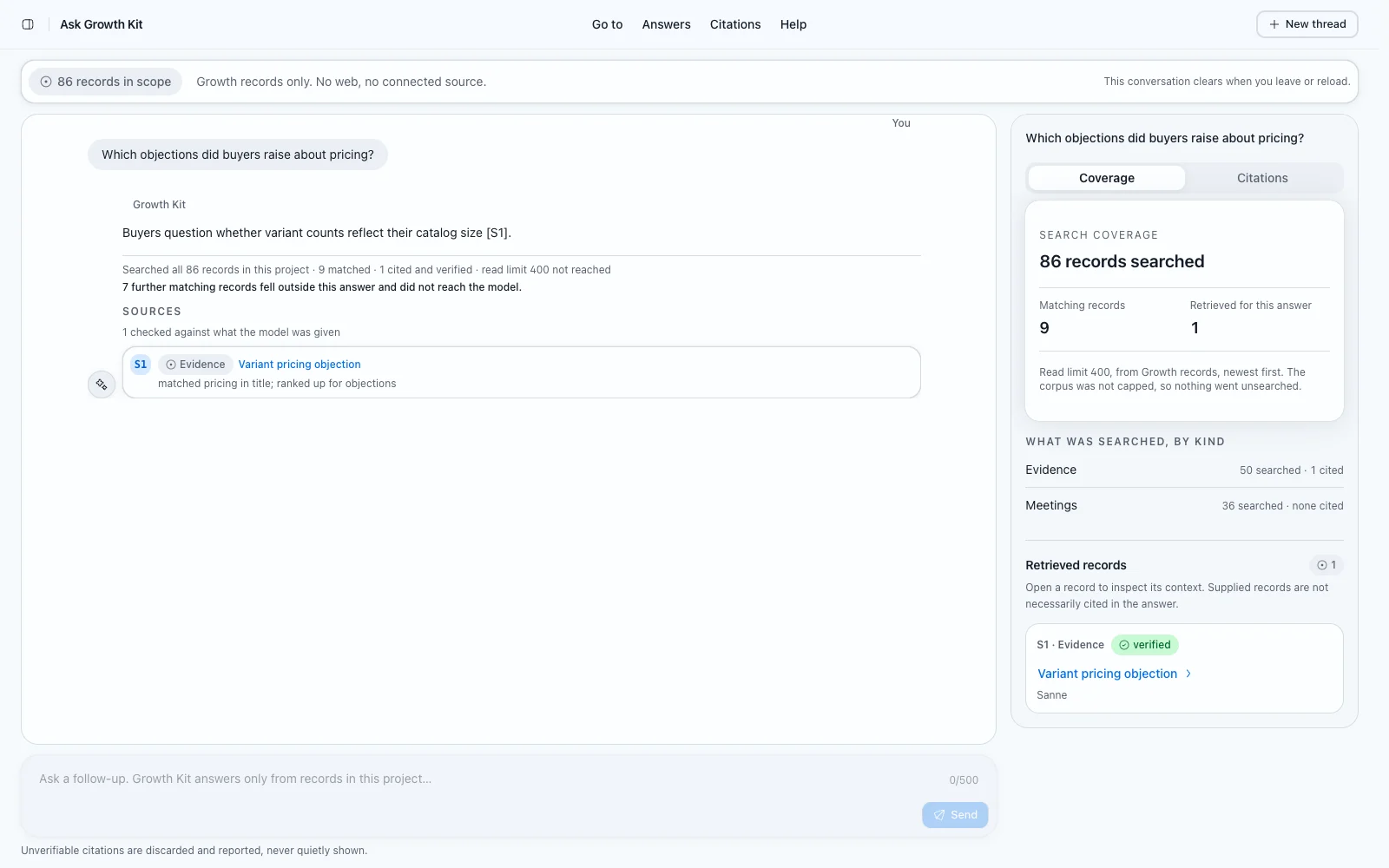
Ask Growth Kit when you do not know where to look
Ask Growth Kit answers from this project's records and from nothing else. It lists the records it matched, cites the ones an answer rests on, and says plainly when the records do not hold the answer. That last reply is the useful one: it names the meeting, evidence record or objective somebody still has to write.
Ask does not browse the web, reach another project, or answer from what a model happens to know about our market. Open a cited record before you repeat a sentence from it in a meeting.
How records behave everywhere
Every record kind shares the same frame: a title, context, one accountable owner, a status, a review or due date, and links to other records in this project. A record set to active needs one owner and a date, and a save without them is refused with the missing field named.
Lists load one page of 25 records at a time. The search box and the status filter narrow the page you are reading rather than the whole project, so a record you cannot find may simply be on the next page. Every save keeps a revision, which is what the Time Machine reads back.
Where to ask for help
Every Growth-OS page carries its own guide in the header menu, written against what that page actually does. Read it before you assume a control is missing.
If the guide and the page disagree, that is a bug worth filing on the roadmap, where anyone who can read the project can add the case for it and vote.
Was this page helpful?
Feedback is stored only in this browser.